




What You Actually Pay With Stripe and PayPal
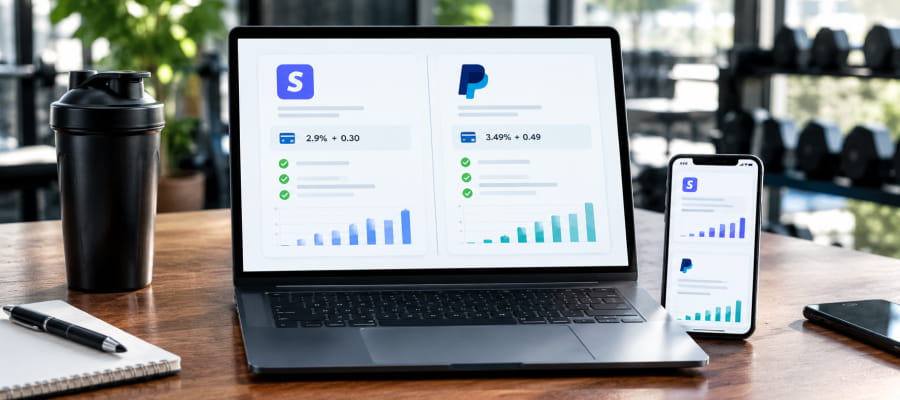
Processor fees are the one cost in your business that scales with every single payment, so a half-percent difference matters more than it looks like on paper. A stripe fee calculator is the fastest way to see that difference in real numbers rather than guessing from memory.
Both figures come straight from Stripe's pricing page and PayPal's business fees page, and it's worth double-checking the live number before you decide, since both companies adjust these rates periodically and neither FitBudd nor any third party controls them.
On a $100 monthly client payment, that difference works out to roughly $0.49 more per transaction with PayPal's standard rate, and closer to a full dollar more if that payment runs through PayPal Checkout instead. Multiply that across a full client roster and the gap stops being trivial.
Why FitBudd Trainers Don't Pay a Third Layer of Fees
Plenty of platforms quietly add their own percentage on top of whatever Stripe or PayPal already charges, but that's not the case here. FitBudd takes zero commission on client payments made through Stripe or PayPal, across more than 200 countries, as laid out on the pricing page. What you see on the processor's own fee schedule is the full cost, with nothing added on top of it.
This matters most for trainers running monthly subscriptions rather than one-off sales, since recurring billing means that processor fee repeats every single month for every single client, for as long as they stay on your roster.
Where Each Processor Costs You More
Stripe tends to win on raw per-transaction cost for standard US card payments, since its flat 2.9% + $0.30 beats PayPal's base rate in almost every comparison. PayPal tends to win on client trust and recognition, since a large share of consumers already have an active PayPal account and feel more comfortable paying through a brand they already use.
International clients shift the math further. Stripe adds 1.5% for international cards plus 1% for currency conversion, while PayPal's international rate runs noticeably higher at 4.49% + $0.49 plus a 1.5% surcharge. If a meaningful share of your clients pay from outside the US, that gap is worth running through the numbers before committing to one processor over the other.
How to Connect Stripe or PayPal to FitBudd
Both gateways connect from the same place in your dashboard, though the steps differ slightly.
To connect Stripe:
- Sign in to your FitBudd dashboard and go to Settings > Payment Service.
- Find Stripe and click Link with Stripe.
- Sign in to your Stripe account and authorize the connection.
- Return to FitBudd and confirm Stripe shows as connected.
Full details, including what to check if the connection fails, are in this Stripe setup guide.
To connect PayPal, you'll need a PayPal business account and a short developer setup, outlined in this PayPal setup guide, since PayPal requires a webhook connection that support configures with you directly.
Want to see the full fee picture before you decide?
FitBudd supports Stripe and PayPal on every plan, with zero commission either way. Start Your 30-Day Free Trial → No credit card required.
If payout speed matters as much as the fee itself, it's worth also reading how long Stripe actually takes to pay out, since the fastest processor on paper isn't always the fastest one into your bank account.

















.jpg)





