

If you’re an independent personal trainer, you already know the drill: you spend hours doing what you love - coaching, programming, pushing clients to their limits - and then lose another chunk of your evening chasing confirmations, managing reschedules, and trying to remember which client booked which slot. Administrative tasks like scheduling and rescheduling appointments can eat up valuable time, taking your focus away from growing your personal training business.
That’s not a “you” problem. That’s a systems problem. And the right personal trainer booking app fixes it.
In 2026, there’s no shortage of scheduling tools on the market. But most of them are built for general service businesses - salons, tutors, consultants - not for fitness professionals who need client progress tracking, session packages, automated reminders, and a professional client-facing experience all in one place.
This guide cuts through the noise and is designed to help you streamline administrative tasks while supporting the growth of your personal training business. Below are the 7 best session booking apps for independent personal trainers, evaluated on scheduling flexibility, client experience, calendar sync, pricing, and how well they actually fit the way trainers work.
What Are the Best Fitness Booking Apps for Personal Trainers?
Before jumping into the list, it’s worth being clear about what separates a great fitness booking app from a generic calendar tool. The best options for personal trainers typically offer:
- Client-facing booking pages - so clients can self-schedule without texting you
- Session package management - track prepaid sessions, bundles, and renewals
- Client management features – organize detailed client profiles, track fitness goals, medical history, and progress, all in one place for a personalized experienceClient management features – organize detailed client profiles, track fitness goals, medical history, and progress, all in one place for a personalized experience
- Calendar sync - two-way sync with Google Calendar, iCal, or Outlook
- Automated reminders - reduce no-shows without manual follow-up
- Payment collection - built-in invoicing or integrated payment processing
- Mobile accessibility - manage everything from your phone between sessions
The best fitness class booking software also supports client engagement through interactive features and a streamlined scheduling process, making it easier to motivate clients and efficiently manage appointments.
With that benchmark in mind, here are the top picks.
The best personal trainer scheduling software depends on how you train. Our quick picks for 2026:
- FitBudd: best all-in-one booking, client app and coaching platform
- Acuity Scheduling: best for customizable booking pages
- Mindbody: best for studios running group classes
- Calendly: best free scheduling app for trainers starting out
- PTminder: best purpose-built PT management tool
- Square Appointments: best for built-in payments
- Trainerize: best when workout delivery matters more than booking
1. FitBudd - Best All-in-One Personal Trainer Booking App
Best for: Independent trainers who want a complete business platform with built-in scheduling
FitBudd is purpose-built for fitness professionals, and the scheduling experience reflects that. Unlike generic booking tools that need third-party plugins to handle anything fitness-related, FitBudd ships with built-in scheduling, a branded client-facing app, and native calendar sync - all under one roof.
Key Features:
- Built-in scheduling with no third-party integrations required
- Branded client app your clients download - professional, not generic
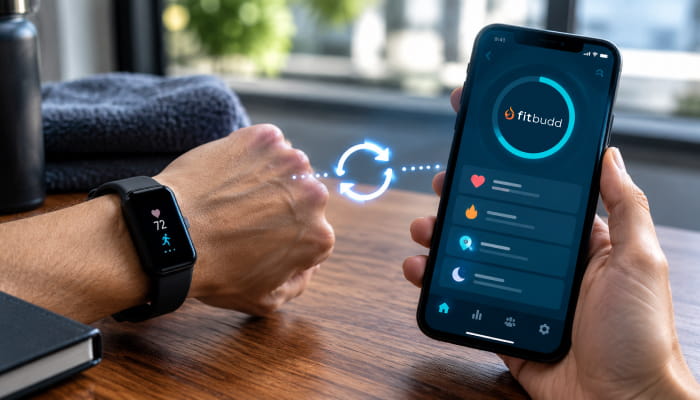
- Two-way calendar sync (Google, iCal) so you never get double-booked
- Session packages and automated payment collection
- Client progress tracking, check-ins, and messaging all in one platform
- Automated reminders and notifications
- Advanced features available for trainers seeking more customization or automation
What sets FitBudd apart is the fact that the scheduling experience lives inside a client app that’s branded to you, not to FitBudd. When a client books a session, they’re doing it inside your app - which builds your brand, not a third party’s. Clients can also manage appointments directly through your branded app, streamlining their experience and empowering them to schedule sessions, sync calendars, and receive reminders with ease. For independent trainers trying to look and operate professionally, that’s a meaningful edge.
FitBudd also eliminates the common headache of patching together separate tools for scheduling, payments, and progress tracking. Everything is connected natively, which means no sync errors, no duplicate data entry, and no tool-switching mid-workflow.
Pricing: Pro is $79/month for 20 clients (+$2 per extra client) and Super Pro is $149/month for a fully white-labeled iOS and Android app under your business name. Online, in-person and hybrid session booking is added through the Appointments add-on at $50/month on either plan, and is included in FitBudd’s Elite plans for studios and creators. A free trial is available. See full plan details on the FitBudd pricing page.
2. Acuity Scheduling - Best for Trainers Who Want Deep Customization
Best for: Trainers who need a highly configurable scheduling page and already use other fitness tools
Acuity Scheduling (now part of Squarespace) is one of the most well-known scheduling software for personal trainers on the market. It offers a polished, highly customizable booking page and robust calendar integration.
Key Features:
- Customizable booking pages with intake forms
- Streamlined booking process that lets clients easily book appointments through customizable booking pages, with real-time availability and booking links
- Two-way sync with Google Calendar, iCal, and Office 365
- Automated reminders via email and SMS
- Package and subscription management
- Stripe, Square, and PayPal integration for payments
- Time zone detection for remote clients
Where Acuity shines is flexibility. You can build out complex availability rules - buffer times between sessions, advance booking limits, specific appointment types - without much friction. The intake form builder is also genuinely useful: you can collect health history, fitness goals, or liability waivers at the point of booking.
Where it falls short for fitness professionals is everything outside scheduling. Acuity doesn’t track workouts, manage client progress, or offer a client-facing mobile app built for fitness. You’ll need separate tools for those, which means more subscriptions and more context-switching.
Pricing: Starts at approximately $16/month. Free trial available.
3. Mindbody - Best for Group Class-Heavy Studios and Hybrid Trainers
Best for: Trainers who run both group classes and 1:1 sessions at a facility
Mindbody has been a dominant name in fitness class booking software for well over a decade. It’s particularly strong for trainers who operate within a gym or studio setting and need tools to manage both group and individual sessions. Mindbody also enables fitness businesses to manage fitness classes across multiple locations, making it a strong choice for larger operations that require centralized scheduling and oversight.
Key Features:
- Class scheduling and capacity management for fitness classes
- Membership and drop-in pricing options
- A consumer-facing app (the Mindbody app) for discovery and booking
- Marketing tools including automated campaigns
- Staff management if you run a small team
- Reporting and revenue analytics
- Multi location management and support for multiple locations, ideal for growing fitness businesses
Where Mindbody works well is for trainers who have grown beyond solo operations - those running bootcamps, small group training, or hybrid studio models. The Mindbody consumer app also gives trainers some organic discovery potential, since people already use it to find fitness services in their area.
Where it gets complicated is for solo, independent trainers. Mindbody’s pricing scales up quickly, and the platform’s complexity can feel like overkill if you’re managing fewer than 20–30 clients. The onboarding curve is steeper than most, and customer support has been a recurring complaint in user reviews.
Pricing: Starts around $99/month. Not ideal for trainers just starting out.
4. Calendly - Best Free Scheduling App for Personal Trainers Starting Out
Best for: Trainers who need a simple, no-friction scheduling link with zero setup time
Calendly is the go-to answer when someone asks about a free scheduling app for personal trainers - and for good reason. It’s fast to set up, easy for clients to use, and integrates with nearly every calendar on the planet.
Key Features:
- Shareable booking links (e.g., calendly.com/yourname)
- Google Calendar, Outlook, iCal, and Microsoft Teams sync
- Buffer time between meetings, minimum scheduling notice
- Basic reminder emails
- Zoom and Google Meet integration for virtual sessions
- Free plan available with limited features
- Allows clients to manage their own appointments independently, streamlining scheduling and payments
Where Calendly works well is frictionless scheduling for simple use cases. If you primarily do virtual consultations, initial assessments, or just want clients to stop texting you to book, a Calendly link gets the job done immediately.
Where it doesn’t scale is the fitness-specific side of the business. Calendly has no concept of session packages, no progress tracking, no workout delivery, and no client app. It’s a scheduling tool - a good one - but not a fitness business platform. Trainers who start with Calendly often outgrow it within 6–12 months.
Pricing: Free plan available. Paid plans start at $10/month per user.
5. PTminder - Best Scheduling Software Built Specifically for Personal Trainers
Best for: Trainers who want a purpose-built PT management platform with integrated scheduling
PTminder is one of the more underappreciated names in personal training scheduling software. It’s built specifically for personal trainers - not adapted from a general appointment booking tool - which means the feature set maps closely to how trainers actually run their businesses. PTminder supports the management and growth of a training business by helping trainers efficiently manage training clients, streamline scheduling, and optimize daily operations.
Key Features:
- Client scheduling with session and package tracking
- Payment processing and automated invoicing
- Workout and nutrition plan delivery
- Progress tracking with measurements and photos
- Calendar integration (Google Calendar sync)
- Client portal for booking and tracking
Where PTminder stands out is depth of PT-specific features. The combination of scheduling, program delivery, and progress tracking in a single platform is something few competitors match at a comparable price point. For trainers who want one tool to handle most of their client-facing operations, PTminder is worth a close look.
Where it lags is on polish and the client mobile experience. The client-facing interface is functional but not as sleek as what some competitors offer, and the mobile app (for both trainer and client) has received mixed reviews regarding stability and UX.
Pricing: Around $36–$89/month depending on plan.
6. Square Appointments - Best for Trainers Who Need Built-In Payment Processing
Best for: Trainers who collect payments in person and want scheduling + POS in one place
Square Appointments is a natural fit for personal trainers who already use Square for payment processing - or who want to start. It combines appointment scheduling with Square’s robust payment infrastructure, including in-person card readers, online checkout, and automated invoicing.
Key Features:
- Online booking page for clients
- Calendar sync with Google Calendar
- Automated SMS and email reminders
- Prepaid package and gift card support
- Square POS integration for in-person payments
- Accept payments directly through the scheduling platform (including prepayments and in-session payments via PayPal, Square, and Stripe)
- No-show protection with card-on-file
Where Square Appointments delivers is the payment experience. If collecting payments is a pain point - clients who forget to pay, sessions that go uninvoiced, awkward cash conversations - Square makes it seamless. The no-show protection feature (charging a card on file for missed sessions) is something many trainers find genuinely valuable.
Where it’s limited is the fitness-specific experience. Like Acuity and Calendly, Square Appointments is a general business scheduling tool. There’s no workout delivery, no progress tracking, and no fitness-native client app. It works well as a scheduling and payment layer, but you’ll need supplementary tools for the actual training side of your business.
Pricing: Free for individuals (with transaction fees). Paid plans from $29/month for additional features.
7. Trainerize - Best for Trainers Who Prioritize Workout Delivery Alongside Scheduling
Best for: Online trainers who want workout programming front and center, with scheduling as a secondary feature
Trainerize (now part of ABC Fitness) is primarily known as an online training platform - workout delivery, habit tracking, nutrition integration, and client communication. In addition to these, Trainerize stands out for supporting online personal training and online personal training sessions, allowing trainers to offer virtual coaching and manage sessions seamlessly. Scheduling isn’t its strongest suit, but it’s included, making it relevant for trainers who prioritize programming over appointment management.
Key Features:
- Workout plan creation and delivery to client app
- In-app messaging and check-ins
- Basic appointment scheduling
- Convenient scheduling of personal training sessions, both in-person and online, with integrated payment options for online personal training sessions
- Integration with MyFitnessPal for nutrition tracking
- Video exercise library and custom exercise upload
- Integration with Stripe for payments
Where Trainerize excels is the coaching experience. If your business is built around delivering structured programs to remote clients - rather than session-by-session in-person training - the workout delivery tools here are best-in-class.
Where it’s weaker is scheduling depth. The appointment booking functionality is limited compared to dedicated scheduling tools: fewer calendar sync options, less customizable availability rules, and a less polished booking experience for clients trying to self-schedule. Trainers who rely heavily on structured session booking will likely find it insufficient as a standalone scheduler and may prefer a Trainerize alternative.
Pricing: Starts around $10/month for solo trainers. Scales with client count.
How Do Fitness Booking Apps Improve Workout Scheduling?
This is one of the most practical questions independent trainers should be asking before choosing a tool - because the impact goes well beyond just “clients can book online.”
Here’s how the right personal training scheduling app actually changes day-to-day operations:
Eliminates back-and-forth communication.
Without a booking app, scheduling a session often involves 3–5 text exchanges to find a mutual time. A self-booking link cuts that to zero. Clients see your real availability and lock in a time instantly. Instant booking updates keep both trainers and clients informed in real time, so everyone is always up to date on schedule changes or new appointments.
Reduces no-shows significantly.
Most booking apps send automated reminders 24–48 hours before a session. This alone can reduce no-show rates by 30–50% for many trainers, which directly protects revenue. Booking apps also help prevent double bookings and allow for easy management of recurring appointments, ensuring your calendar stays organized and conflict-free.
Makes session packages trackable.
When clients prepay for 10 sessions, a good booking app tracks the remaining balance automatically. No more mental math or checking old texts to figure out how many sessions a client has left.
Creates a professional client experience.
When a client can book, reschedule, receive reminders, and pay - all through a streamlined interface - it signals that you run a real, professional business. That builds trust and retention.
Frees up time for actual training.
The administrative overhead for a trainer managing 15–20 clients manually is significant. A booking system can reclaim several hours per week, which either goes back into coaching quality or into business growth.
Can I Integrate Fitness Booking Apps with My Calendar?
Yes - and calendar integration is one of the most important features to verify before committing to any personal trainer scheduling software.
Here's what to look for:
Two-way sync vs. one-way sync.
One-way sync means your booking app can read your calendar to block out busy times. Two-way sync means new bookings also appear on your external calendar (Google Calendar, iCal, Outlook), and changes on either side update both. Always aim for two-way sync - it prevents double-booking.
Multiple calendar connections.
If you have a personal Google Calendar and a work calendar, some tools let you connect both so availability is calculated across all of them.
Time zone handling.
For trainers with remote clients in different time zones, a booking app that auto-detects and converts time zones prevents scheduling disasters.
Native vs. third-party integrations.
Some platforms handle calendar sync natively (it just works, out of the box), while others rely on third-party connectors like Zapier. Native sync is almost always more reliable - fewer points of failure, no extra cost, no delay.
Of the tools on this list, FitBudd, Acuity, Calendly, Square Appointments, and PTminder all offer Google Calendar sync. FitBudd and Acuity both handle it natively, making them the most reliable options for trainers who live and die by their calendar.
Quick Comparison: Best Booking Apps for Personal Trainers (2026)
How to Choose the Right Personal Trainer Booking Software for You
The best personal trainer booking software is the one that fits how you actually work - not the one with the most features on paper. When choosing a booking app, it's crucial to consider how efficiently it manages client bookings and client appointments, especially if you work with multiple clients and need to keep schedules organized.
If you’re just starting out and need a free or low-cost scheduling link fast: start with Calendly. It’s not a long-term fitness platform, but it solves the immediate problem of clients being able to book without texting you. As your business grows, look for platforms that offer unlimited appointments so you’re not restricted by session limits.
If you run group classes or a small studio alongside 1:1 sessions: Mindbody is the most feature-complete option, though you’ll pay for it.
If payments are your biggest headache and you do a lot of in-person training: Square Appointments handles the scheduling and payment loop cleanly.
If online programming and workout delivery are central to your business: Trainerize leads here, though you may need a separate scheduling tool for structured session booking.
If you want one platform to handle scheduling, client app, calendar sync, payments, and progress tracking without stitching tools together: FitBudd is the clearest choice. It was built specifically for personal trainers who want a professional, complete business system - not a patchwork of integrations.
Final Thoughts
The right personal trainer scheduling app doesn’t just fill your calendar - it systematizes your business, protects your revenue, and gives clients a smooth, professional experience that keeps them coming back. Using the right fitness class booking software empowers you to run your own business more efficiently and directly boosts client satisfaction by making scheduling seamless and personalized.
For independent trainers in 2026, the choice increasingly comes down to this: do you want to patch together several general-purpose tools, or invest in a platform built specifically for how you work?
If you want the latter, start your evaluation with FitBudd. The built-in scheduling, branded client app, and native calendar sync cover the core workflow - without the headache of third-party integrations or tool sprawl.
Your time is better spent coaching. Let the software handle the rest.