



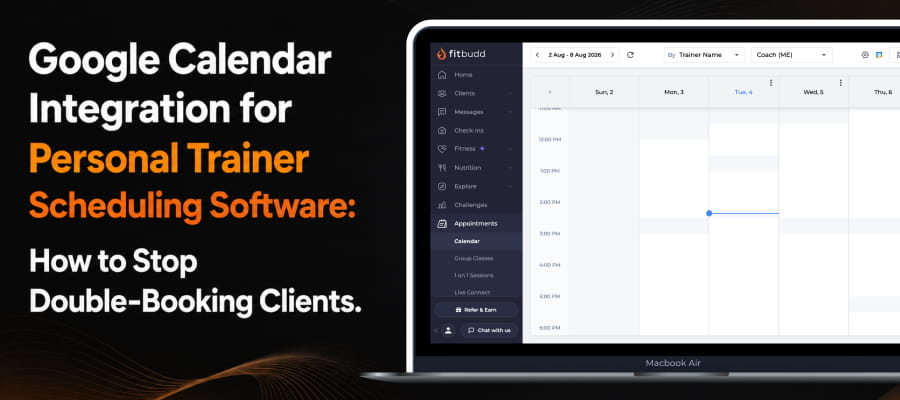

Importance of Google Calendar Integration for Personal Trainer
It matters because a missed or double-booked session usually costs you a client, not just an hour of your day. A Google Calendar integration exists to close the gap between the calendar your clients see when they book and the calendar you actually run your life on.
Trainers who run sessions off a shared link or a paper book often end up checking two or three different places before they can confirm a slot with confidence, and that habit is exactly where double-bookings creep in without anyone noticing until a client shows up to an empty room.
Scheduling predictability isn't just a nice-to-have for the people on the other end of your calendar. Gallup's 2025 American Job Quality Study found that 62% of U.S. workers lack a high-quality, predictable schedule, and identified predictability and control as two of the biggest drivers of overall satisfaction and reduced stress. The same logic carries over to your clients: the more predictable and conflict-free their sessions feel, the more likely they are to stay booked with you month after month.
That is the real job of good personal trainer scheduling software. It is not just about taking bookings; it is about making sure the calendar clients see always matches the calendar you are actually working from, so nobody is left guessing.
How FitBudd's Google Calendar Integration Works
It works as a 2-way sync between your Google Calendar and your FitBudd Appointments calendar, and you can read the full setup breakdown in Google Calendar integration guide. Once connected, any time slot already booked on your Google Calendar is automatically blocked off in FitBudd, so a client cannot book a session during that window even if they try.
Here is what that actually means for you day to day. You only have to manage one calendar, your Google Calendar, because FitBudd checks it automatically in the background. The FitBudd calendar view will not visually show you why a particular slot is blocked, but it will still stop a client from booking it, which is what actually prevents the conflict. FitBudd currently supports connecting one Google account at a time, so if you already run your sessions off a single calendar, this covers your workflow completely without any extra juggling.
This is the core of what makes a Google Calendar integration genuinely useful inside personal trainer scheduling software, because it removes the manual cross-checking step entirely instead of just giving you another place to enter the same data twice.
Why Do Double-Bookings Hurt Your Coaching Business?
They hurt because they cost you client trust, not just a few minutes of scheduling cleanup. Small service businesses lose roughly 14% of their total potential revenue to no-shows and missed appointments, according to Zippia's appointment scheduling research. A meaningful share of that number is not clients flaking on purpose; it is genuine confusion over whether a session was ever actually confirmed in the first place.
Every double-booked slot forces an apology, a reschedule, and a client who now quietly wonders whether your business is organized enough to be trusted with their goals. For a solo trainer who is building a personal brand around discipline and reliability, that moment undercuts the exact image you are trying to build with every other part of your service.
This problem shows up most often when you are running a hybrid business, with in-person sessions on some days and online coaching calls on others. Two schedules living in two different places is usually how a double-booking happens in the first place, and it is almost always the client who ends up rearranging their day to absorb your scheduling mistake.
How to Set Up the Google Calendar Integration in FitBudd
You can connect it in a few clicks directly from your FitBudd dashboard. The full walkthrough, with screenshots for each step, is also available in Google Calendar integration guide.
- Go to the Appointments section on your FitBudd dashboard.
- Click the Connect Calendar icon in the top right corner of the screen.
- Choose the Google account you want to sync.
- Click Allow to grant FitBudd permission to read your calendar.
Once that is done, the sync runs quietly in the background from then on. Any new event you add to Google Calendar blocks that same time automatically, with no extra step required on your part.
If you ever need to stop the sync, here's how to disconnect your google calendar:
- Go to Settings on your FitBudd dashboard.
- Click Disconnect next to your connected Google account.
Events that were already synced will stay on your Google Calendar, so you would need to remove those manually if you no longer want them there, and new bookings will stop carrying over the moment you disconnect.
Get Started
If you are still juggling a paper planner, a shared link, and Google Calendar as three separate systems, that is precisely the gap a proper Google Calendar integration is built to close. FitBudd's personal trainer scheduling software includes this integration on every plan, and you can see how it fits alongside FitBudd's full feature set and pricing before you commit to anything. Connect it once, and it becomes one less thing you have to think about.
Start your 30-Day Free Trial. No credit card required.
Also Read














.jpg)
_%20Features%2C%20Pricing%2C%20Pros%20and%20Cons-1.jpg)








