
A few years ago, having your own fitness app meant hiring a development agency, spending $50,000 to $150,000, waiting 6 to 12 months, and praying the final product worked the way you imagined. That barrier kept custom apps firmly in the territory of large fitness brands and well-funded startups.
That's not the reality anymore. In 2026, personal trainers, online coaches, yoga instructors, and fitness studio owners are launching fully branded iOS and Android apps under their own name, with their own logo and colors, in a matter of days, with zero coding experience and a fraction of the traditional cost.
This guide walks you through exactly how to launch a fitness app without coding: what to plan before you start, which platform to use, how to set everything up, and how to onboard your first clients.
Why Personal Trainers Are Launching Their Own Fitness Apps in 2026
In 2024, fitness apps were downloaded over 850 million times worldwide, with approximately 345 million active users. The sector generated $3.98 billion in revenue, up 11.1% year over year.
As one of the fastest-growing segments within digital health and the broader fitness industry, the global fitness app market is valued at $15.35 billion in 2026 and is projected to reach $28.30 billion by 2031, growing at a CAGR of 13.01% over the forecast period.
The demand is there. What's changed is how accessible it is for individual coaches to meet that demand with their own branded product rather than someone else's platform. In fact, 74% of Americans now use at least one fitness app, and 60% have replaced traditional gym memberships with app-based workouts.
Here's why more coaches are going the branded app route rather than using generic platforms:
You control the client experience
When a client downloads a generic coaching platform, they see that platform's branding, not yours. Content from other coaches can appear in discovery feeds. The app's name in the App Store is the platform's name, not yours. A branded app changes all of that. Your client downloads your app, sees your name and logo every time they open it, and has no visible connection to the underlying platform.
It builds perceived value and professional credibility
There is a genuine difference in how clients perceive a coach who has their own app in the App Store versus one who sends a login link to a generic tool. The former signals a serious, established business. That perception directly affects how much clients will pay and how long they'll stay.
Retention goes up when clients live in your ecosystem
A client who logs their workouts, tracks their nutrition, submits their weekly check-in, and messages you all inside your branded app has multiple daily touchpoints with your coaching brand. Each touchpoint reinforces the relationship and makes it harder to cancel quietly. Coaches who switch to a branded app consistently report improvements in client retention and engagement within the first 90 days.
You're not at the mercy of platform changes
Generic platforms change pricing, remove features, and shift their focus. Coaches who've built their entire business on a third-party platform have found themselves suddenly paying significantly more or losing key features overnight. A white-label solution that runs under your brand provides you with greater insulation from those changes.
What Is a No-Code Fitness App Builder?
A no-code fitness app builder is a platform that provides the technical infrastructure of a mobile app (iOS and Android development, App Store submission, hosting, updates, and maintenance) while giving you a configuration interface to make it your own. In practical terms, a no-code app builder lets fitness professionals and entrepreneurs build a fitness app without coding experience. You add your brand, content, pricing, and client experience. The platform handles all the technical details in the background.
Most of these platforms use customizable templates and drag-and-drop setups so you can tailor the app to your fitness niche and branding without developer help.
The key difference between a no-code fitness app builder and a generic coaching platform is the depth of branding. A generic platform gives you a login on their app. A true white-label no-code builder gives your clients an app in the App Store under your name, with your logo as the app icon, your color scheme throughout the interface, and no visible reference to the underlying platform.
Step 1: Define Your Fitness App Idea and Core Features
Before you touch any platform, spend thirty minutes getting clear on three things. This planning step saves you hours of configuration work later, especially if your MVP includes only the essential features needed for a specific audience gap.
Who is your app for?
Your app experience should be built around a specific client. A coach who trains postpartum mothers needs different features front and center than a coach who trains competitive athletes, busy professionals, or corporate professionals. The clearer you are on your client, the better your app structure and onboarding flow will be.
What does your coaching model include?
Map out exactly what your clients will get. Workout programs only? Workout plus nutrition? Live check-ins? On-demand video content? Group coaching?
Each of these corresponds to a feature set in your app. Knowing what you're delivering before you configure the platform prevents you from setting things up and then having to redo them.
How to build a fitness app & how to charge?
Monthly subscription? Fixed-term package (12 weeks, 16 weeks)? One-time program purchase? A combination? Your pricing model affects how you configure payments inside the app, so decide this upfront.
Core Features Your Fitness App Should Include
Here are the essential features users expect in a workout app, especially if you want it to support coaching, engagement, and retention.
Social features like workout sharing, challenges, and leaderboards can increase retention by around 40%.
Step 2: Choose Your No-Code Fitness App Platform
This is the most consequential decision in the whole process. The platform you choose determines the quality of your client experience, your ongoing costs, and the amount of manual work you need to do as your business grows, especially as the no-code app builder market grows quickly with rising digital fitness demand.
Here's what to look for when comparing no-code fitness app builders or white-label fitness apps:
- True white-labeling vs. branded portal
As covered above, this distinction matters. Ask whether your clients download an app under your name from the App Store or use the platform's generic app.
- Feature completeness
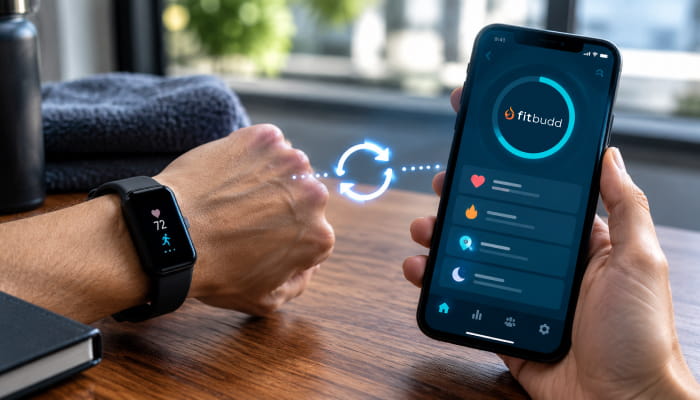
The app should handle workout delivery, nutrition, check-ins, payments, messaging, and wearable support natively, especially since 65% of fitness app users want wearable integration. Platforms that handle workouts but require separate tools for everything else recreate the fragmentation problem you're trying to solve.
- Pricing model
Some platforms charge a flat monthly fee with per-client overages. Others charge per feature, per location, or require annual contracts. Model the total cost at your current client count and at 2x your current count to understand how pricing scales.
- Onboarding support
Launching your first app involves submitting to the App Store and Google Play, which have approval timelines. A platform that provides hands-on onboarding support makes this process significantly less stressful for coaches who've never done it before.
- Ongoing maintenance
iOS and Android update regularly. Ask who handles app updates, bug fixes, and platform compatibility maintenance. On a white-label platform, this should be the platform's responsibility, not yours.
Also watch: https://youtu.be/mArasgKsC6g?si=KQC42KdaPnsgobq-
Step 3: Set Up Your Brand in the App
Once you've chosen your platform, the first configuration step is your brand. This is what turns a generic template into a working app that feels like your app.
What you'll set up:
- App name: What your clients will see in the App Store and on their phone's home screen. This should be your coaching business name or your personal brand name (e.g., "Alex Carter Fitness" or "Strong Mamas Training")
- App icon: Your logo or a custom icon designed for your brand. This is the image your clients see every time they look at their phone. It's worth investing in good design here, even if it's just a clean, professional logo.
- Color scheme: Your primary and secondary brand colors, applied throughout the app interface so every screen feels consistent with your brand
- Splash screen: The screen clients see when they first open the app. A clear,n branded splash screen immediately signals that this is a professional production.ct
- About section: A brief description of your coaching brand and what clients can expect
Step 4: Build Your Content Library
Your app's content is what clients are actually paying for. Before you onboard anyone, build out the content library that will deliver your core coaching offer.
Workout programs
Build at least two to three complete training programs inside your app before launch. These should cover your primary client type: a beginner four-week program, an intermediate eight-week program, or a sport-specific twelve-week program, depending on your niche. Having programs ready to assign immediately means your first clients get value from day one, not from week two, once you've built everything on the fly.
Exercise library
Most platforms provide a pre-built exercise library with demo videos. Review it and add any exercises specific to your methodology that aren't already there. Upload custom demo videos for any signature exercises or techniques unique to your coaching style, and ensure they're high-quality, as video content has a big impact on engagement.
Nutrition templates
If nutrition is part of your coaching offer, set up your standard meal plan templates and add any custom recipes or foods that align with the nutrition philosophy you coach around. FitBudd's macro- and food-based meal plan tools let you build templates you can quickly customize for each client, rather than building from scratch each time.
On-demand content
If your model includes on-demand video sessions, mobility routines, or educational content, upload these to your content library before launch; this is also where content priorities may shift if your offer leans more toward activity-tracking or diet-and-nutrition apps. Clients who have something to explore in your app beyond their assigned program are more engaged and less likely to churn during slow training weeks.
Check-in templates
Set up your standard weekly check-in questions. These should ask about workout compliance, energy levels, nutrition, and any physical feedback. A good check-in template takes clients 2 minutes to complete and gives you the data you need to adjust programming proactively.
Also read: Training experience that goes beyond expectations
Step 5: Configure Payments and Automation
This is the step most coaches underestimate, and it's the one that most directly affects how much time you spend on admin every week. Before you wire automations and payment logic, map how data and users move through the app so your layouts connect cleanly.
Payment setup
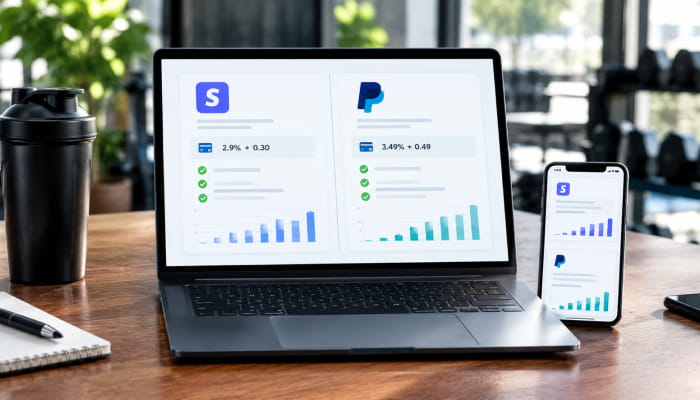
Connect your Stripe or PayPal account to your platform. Configure your coaching packages exactly as you plan to sell them: monthly subscription prices, 12-week package one-time prices, any installment payment options, and in-app purchases for premium content or coaching upsells. Test the purchase flow as a client before you go live. Payment friction at sign-up is one of the most common conversion killers coaches experience during new app launches.
Automation sequences
Set up the automations that will run your client communication in the background and make it easier to add new features later without rebuilding the whole setup:
- Onboarding sequence: An intake questionnaire is delivered automatically when a new client signs up. This should capture health history, goals, injuries, schedule availability, and dietary preferences before you assign their first program
- Weekly check-in: Automated delivery every Monday (or your preferred day), asking about last week's compliance and this week's priorities
- Program delivery: Automatic delivery of the next phase of a client's program when they complete the current one
- Nudge reminders: Push notifications for clients who haven't logged a workout in three or more days, or who haven't submitted their check-in
- Renewal reminders: Automated messages 7 and 3 days before a package expires, prompting clients to continue
Schedule and booking
If you offer live sessions (1:1 video calls or in-person appointments), configure your availability calendar and set up automated booking confirmations and reminders. Automated reminders reduce no-shows significantly and save you the manual work of chasing clients to confirm.
Step 6: Submit Your App to the App Store and Google Play
This step has a timeline component that catches many coaches off guard. Apple's App Store review process typically takes 1–3 business days for initial submission and 1–2 days for updates. Google Play is generally faster at 24–48 hours. Both require a developer account.
What you'll need:
- Apple Developer account: $99/year (required for App Store listing)
- Google Play Developer account: $25 one-time fee (required for Google Play listing)
- Your app icon in the required dimensions (your platform should provide specifications)
- App Store screenshots showing the client experience (your platform may provide templates)
- A short app description for the store listing
On FitBudd's Super Pro plan, the platform handles the technical submission process. You provide your branding assets and developer account credentials, and FitBudd manages the build and submission. This is a significant practical advantage for coaches who've never navigated App Store submissions before.
Once approved, your app is live in both stores under your name. Your clients search for your brand in the App Store, find your app, and download it. From that point forward, every interaction happens inside your ecosystem.
Step 7: Onboard Your First Clients
The way you onboard your first clients into the app determines whether they engage deeply or use it superficially. A structured onboarding process is the difference between clients who open the app daily and clients who install it and forget about it.
Before launch: Message your current clients directly. Tell them you've built your own app, explain what's inside it, and give them a simple reason to switch (everything is now in one place, you can see their progress directly, the experience is cleaner). Use social media to build anticipation, then invite them in. Make it feel like an upgrade, not an admin task.
Onboarding flow for new clients:
- Client signs up through your app's payment flow or a direct link you send
- Automated intake questionnaire delivered immediately (set this up in Step 5)
- You review their intake responses and assign their first program within 24 hours, along with any personal training sessions you offer through the app
- Welcome message from you inside the app, introducing what they'll find and what to expect in week one
- First check-in delivered at the end of week one
What to communicate at launch:
- Where to find their workout program
- How to log workouts after completing them
- How the weekly check-in works and when to expect it
- How to message you inside the app and what response time to expect
- Where to find their nutrition plan or food tracking tools (if applicable)
How to Launch a Custom Fitness App Without Coding: Total Cost Breakdown
Here's a realistic cost breakdown for launching a branded fitness app on FitBudd's Super Pro plan:
Compare that to traditional fitness app development:
The economics are straightforward. Even with 20 clients paying $200/month each ($4,000/month in revenue), the Super Pro plan represents less than 4% of revenue. A coach with 50 clients (20 base + 30 at $2/month overage = $149 + $60 = $209/month) is running a fully branded iOS and Android coaching business for less than $2.50 per client per month in platform costs.
Alternatives to Building a Fitness App From Scratch
If you're comparing the white-label route to other approaches, here's where the main options stand in 2026:
Building from scratch (custom development)
For building an app from scratch, one of the most flexible options is to pursue a genuinely unique app concept that doesn't fit any existing platform. The cost and timeline remain high ($50,000–$150,000+, 6–12 months), and ongoing maintenance, updates, and bug fixes are your responsibility. For most fitness coaches, this is significantly more infrastructure than you need to deliver a great coaching experience.
Generic coaching platforms
Tools like Trainerize or My PT Hub let you deliver workouts through their branded app. Clients download the platform's app (not yours), see the platform's name and branding, and may see other coaches' content in discovery features. Functional for coaching delivery, but not a branded experience.
White-label fitness platforms
This is a purpose-built option for coaches who want a branded app with all the fitness-specific features already built in. FitBudd sits at the accessible end of this category, with transparent pricing and a self-service setup process designed for coaches rather than developers.
Your Branded Fitness App Is Closer Than You Think
Not long ago, having your own app in the App Store was something only well-funded fitness companies could pull off. The development cost was prohibitive, the timeline was long, and the technical barrier meant most coaches had to settle for delivering their coaching through someone else's platform.
That gap of “how to launch a fitness app without coding” has closed. In 2026, the tools exist to go from zero to a fully branded iOS and Android app in under a week, at a monthly cost that represents a small percentage of what a single client pays you. The process is not complicated. It is seven steps, most of which are just decisions about your brand and your content.