


Best Virtuagym Alternatives at a Glance
The right Virtuagym alternative saves you time, simplifies coaching and improves your clients' experience.
The next step is to check whether each platform supports your exact workflow at a price that makes sense.
Is Virtuagym Good for Personal Trainers or Only for Gyms?
Virtuagym works for both personal trainers and gyms. Personal trainers can use it for workout programming, nutrition tracking, and client progress. Gyms can also manage memberships, scheduling, and billing. The better fit depends on whether your business primarily delivers coaching or also manages a physical facility.

Consider two businesses.
An online trainer with 25 clients
Every Monday, you assign workouts. During the week, you review completed sessions, adjust exercises and check nutrition logs.
Your income depends on delivering coaching that clients want to continue paying for. If you spend too much time updating plans or chasing progress reports, you have less time to coach existing clients or take on new ones.
Virtuagym supports these tasks, but a remote personal training platform often suits coaches who manage clients entirely online.
What matters: How quickly can you onboard a client, deliver a plan, review progress and respond when they need help?
A studio owner with 150 members
Your business has a different problem.
Members book classes, staff manage schedules, payments need collecting and new customers need onboarding. You may also offer personal training.
A missed payment creates follow-up work. A double-booked class affects the member experience. Separate systems can force staff to update the same information more than once.
Virtuagym's combination of memberships, billing, scheduling and coaching can help keep these operations connected.
What matters: Can the platform reduce administrative work while giving members a reliable booking and payment experience?
The verdict
Choose Virtuagym when you need coaching and gym management in one system.
If you only deliver online coaching, compare how quickly alternative platforms let you manage clients, deliver programs and collect payments.
If you run a physical gym, prioritize membership billing, scheduling, access management and staff workflows. These are also the key factors when comparing gym management software for small gyms.
What Does Virtuagym Include?
Virtuagym is gym and club management software with coaching tools built on top. It says it serves more than 10,000 fitness businesses in over 80 countries (Coachway, 2026).
- Management tools: Memberships, recurring billing, scheduling and access control.
- Coaching tools: A workout builder, a nutrition module and progress tracking.
- Branded app: A white-label app in the App Store and Google Play. Pricing is quote-based.
- Languages: The interface supports English, Dutch, German, Spanish and French.
For a gym, that range is the selling point. For a solo coach, it means paying for modules built for facilities.
Why Consider a Virtuagym Alternative?
Consider switching if Virtuagym costs you more time or money than it saves. These five signs show up first:
- You're spending more time managing clients than coaching them. Updating workouts, checking progress and following up shouldn't take over your day.
- Your clients aren't using the app consistently. Missed workouts and unanswered check-ins make progress harder to assess. A clear client retention strategy can help you identify and address disengagement earlier.
- Your software costs keep adding up. The plan looks affordable until you factor in add-ons and the tools you actually need.
- You need contract flexibility. Check the minimum commitment, renewal conditions, and cancellation terms before choosing a plan.
- You're tired of chasing support. When billing or technical issues arise, waiting for answers can disrupt your business.
The goal isn't to find software with more features. It's to find one that makes coaching easier, keeps clients engaged and supports your business as it grows.
Which Virtuagym Alternative Fits Your Business?
Virtuagym handles coaching, scheduling, memberships and payments. But depending on your business, you may be paying for tools you rarely use while still struggling with the tasks that matter most.
These 10 apps like Virtuagym address different priorities, from building your coaching brand to filling classes and keeping gym members.
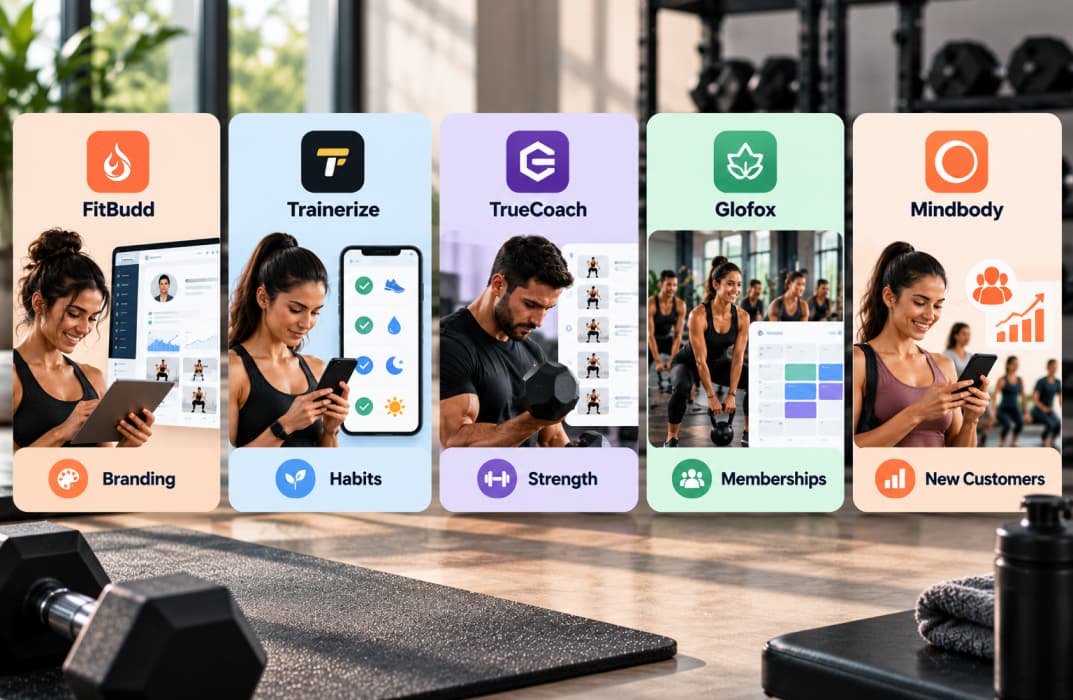
1. FitBudd: Best for Personal Trainers Building Their Own Brand
Your clients may love your coaching, but does their training app feel like part of your business?
FitBudd gives personal trainers one place to deliver workouts, nutrition plans, check-ins, video calls and payments. Pro includes a 4,000+ exercise library and a website builder. Payments run through Stripe and PayPal in 200+ countries, with zero commission.
Where FitBudd stands out
- Build brand recognition: Keep your business identity visible throughout the client's training experience.
- Offer ongoing coaching: Deliver workouts, nutrition guidance and progress reviews without relying on separate tools.
- Expand beyond in-person sessions: Serve online and hybrid clients through the same coaching platform.
Unlike Virtuagym's broader gym management approach, FitBudd focuses on the relationship between trainers and their clients. That makes it more relevant when your business depends on coaching services rather than memberships and facility operations.
Pricing: Starter costs $15/month for 2 clients, plus $4 for each extra client. Pro costs $79/month for 20 clients. Super Pro costs $149/month for 20 clients and puts your own app in the App Store and Google Play. Super Pro adds a one-time $75 setup fee, a D-U-N-S number, and developer accounts ($99 for Apple, $25 for Google). Clients above 20 cost $2 each per month on Pro and Super Pro. See the full FitBudd pricing.
The tradeoff: FitBudd isn't designed for gym access control, front-desk operations or complex facility management.
Choose FitBudd as your Virtuagym alternative if: You want clients to recognize your coaching brand, not simply access workout plans.
Want to test it with your own clients? Start 30-Day Free Trial — No credit card required
2. Trainerize: Best for Coaches Who Combine Workouts and Habit Coaching
A client can complete every scheduled workout but still struggle with daily activity, nutrition or consistency between sessions.
Trainerize helps coaches manage those behaviors alongside workout programming. For a deeper comparison, read our Trainerize alternative guide.
Where Trainerize stands out
- Coach between sessions: Assign habits and review clients' activity outside scheduled workouts.
- Connect fitness data: Use supported wearable and nutrition integrations to understand client behavior.
- Offer additional services: Add nutrition coaching, video sessions and payments as your business grows.
Trainerize earns a 4.6/5 rating on Capterra, but its extensive features also make plan selection important. Coaches need to distinguish included tools from paid extras.
Pricing: The Basic plan is free for one client. Grow costs $9/month for two clients, and Pro 5 costs $23/month for five. Plans for 15 and 30 clients cost about $49 and $79 a month, so 20 clients lands in between. Video coaching ($10/month) and a custom branded app ($169 one-time) cost extra. See our Trainerize pricing breakdown (FitBudd, October 2026) for the full list.
The tradeoff: Habit tracking and integrations add flexibility, but your total subscription can grow as you add coaching services.
Choose Trainerize as your Virtuagym alternative if: Your clients need support with workouts, habits and daily activity rather than gym operations.
3. Everfit: Best for Coaches Growing Their Client Rosters
Adding 20 clients shouldn't require sending 20 more sets of reminders every week.
Everfit focuses on helping coaches manage growing rosters through automation, client programming and team workflows.
Where Everfit stands out
- Automate routine communication: Schedule reminders and recurring client messages.
- Manage larger rosters: Organize check-ins and client information as your business grows.
- Work with other trainers: Coordinate coaching delivery across a team.
On G2's personal training software listings, Everfit has a 4.8/5 rating from 209 reviews. One highlighted review describes reducing administrative work through the platform. That's encouraging, but automation is only valuable if it supports your actual coaching workflow.
For example, if you deliver four-week strength blocks, test how easily you can duplicate, modify and assign those programs before choosing Everfit.
Pricing: Free for up to five clients. Pro costs $49/month for 20 clients. Meal plans ($39/month), Autoflow automation ($29/month) and payments ($9/month plus processing fees) cost extra. See our Everfit pricing breakdown (FitBudd, October 2026) for the full cost.
The tradeoff: Automated communication can reduce repetitive work, but it won't necessarily make complex workout programming easier.
Choose Everfit as your Virtuagym alternative if: You're growing your coaching roster and need to reduce repetitive administrative tasks.
4. TrueCoach: Best for Strength and Conditioning Coaches
If you coach strength athletes, the important question isn't simply whether they completed a workout.
You need to see what they lifted, how many reps they completed and whether they're ready to progress.
TrueCoach focuses on structured workout delivery and athlete performance tracking. For a closer look, read our TrueCoach alternative guide.
Where TrueCoach stands out
- Track strength progress: Review sets, reps and loads across sessions.
- Adjust training blocks: Use performance results to modify future workouts.
- Review exercise execution: Collect client feedback and exercise videos.
TrueCoach holds a 4.8/5 rating from 838 reviews on Capterra's personal trainer software directory. Its strong ratings make it worth considering for programming-focused coaches, although ratings alone don't establish whether its scheduling and messaging tools will suit your business.
Pricing: Approximately $30/month for five clients or $70/month for 20 clients.
The tradeoff: Its emphasis on training delivery may be less useful if memberships, nutrition services and gym operations are your main priorities.
Choose TrueCoach as your Virtuagym alternative if: Your clients pay you for structured strength programming and measurable performance improvements.
5. My PT Hub: Best for Trainers Who Want Predictable Costs as They Grow
Some coaching platforms become more expensive whenever you add clients or unlock another feature.
My PT Hub is worth comparing if you want predictable costs as your roster grows. You can also compare personal training software pricing and features to see how client limits affect your options.
Where My PT Hub stands out
- Plan for growth: An unlimited-client option can make subscription costs easier to forecast.
- Manage general coaching: Deliver workouts, nutrition plans, check-ins and client communication.
- Simplify onboarding: Use forms and client management tools to collect information before training begins.
In a January 2026 Capterra review, a trainer who switched from Trainerize praised My PT Hub's onboarding forms and value. However, the same reviewer found some workout formats, including circuits and Tabata-style sessions, less straightforward to create.
Another reviewer highlighted the value of unlimited clients but wanted a simpler client interface.
Pricing: Starts around $22.50/month for three clients. An unlimited-client subscription has been listed around $52/month.
The tradeoff: Predictable subscription costs don't guarantee that every workout format or client workflow will be easy to use.
Choose My PT Hub as your Virtuagym alternative if: You want a general coaching platform with an option to grow your roster without per-client subscription increases.
Best Virtuagym Alternatives for Gyms and Studios
The next five apps like Virtuagym focus on different business problems: managing complex memberships, acquiring customers, collecting recurring revenue, filling classes and encouraging repeat visits.
6. ABC Glofox: Best for Boutique Studios With Multiple Membership Options
A boutique studio might sell unlimited monthly memberships, class packs, introductory offers and private sessions.
Glofox helps businesses manage these arrangements alongside scheduling, payments and member access. If you're comparing other options, explore these Glofox alternatives for different gym and studio needs.
Where Glofox stands out
- Handle different memberships: Connect class access to purchased packages.
- Support multiple locations: Manage operations across a growing studio business.
- Give members self-service options: Let customers book classes and manage their accounts.
In Trustpilot reviews of Glofox, customers frequently praise its booking experience and onboarding support. However, other reviewers report unclear pricing, occasional software issues and difficulty reaching support.
For studio owners, that makes the sales demonstration important. Ask Glofox to show how your actual memberships, cancellations and payment exceptions would work.
Pricing: Glofox uses custom quotes. Confirm subscription fees, onboarding, payment processing and branded-app charges.
The tradeoff: Its studio management capabilities may be more than a small independent trainer needs.
Choose Glofox as your Virtuagym alternative if: You manage a boutique studio with multiple membership types or locations.
7. Mindbody: Best for Studios That Need More New Customers
Your classes have available spots, but people outside your existing customer base don't know about them.
Mindbody stands out because it combines studio management with a consumer marketplace where people can find participating fitness businesses. If customer acquisition isn't your main priority, compare Mindbody alternatives focused on other business needs.
Where Mindbody stands out
- Reach new customers: Make classes visible to people browsing fitness services.
- Turn interest into bookings: Let prospective customers reserve available sessions.
- Manage bookings and payments: Handle studio operations alongside customer acquisition.
Cost is a major consideration. In a September 2026 r/gymowner discussion, an owner managing 300 clients reported paying $900/month for Mindbody while using its CRM, payments and scheduling features.
That was one gym's reported bill, not Mindbody's standard price. It shows why studios should compare the revenue generated by marketplace bookings against the total software cost.
Pricing: Published entry pricing starts around $79/month per location. Larger packages and additional services can cost considerably more.
The tradeoff: Marketplace visibility can help people find your studio, but it doesn't guarantee new customers or profitable bookings.
Choose Mindbody as your Virtuagym alternative if: You want software that can support customer acquisition as well as studio management.
8. PushPress: Best for CrossFit Gyms Managing Recurring Membership Revenue
CrossFit gyms rely on members returning regularly and paying monthly dues.
PushPress focuses on managing those recurring memberships alongside class schedules, attendance and gym operations. Our PushPress alternative guide covers it in more depth.
Where PushPress stands out
- Organize recurring billing: Manage membership payments and member accounts.
- Support group training: Coordinate classes and attendance.
- Start with core operations: Choose additional tools based on your gym's needs.
PushPress has a 4.7/5 rating on Capterra. Reviewers frequently discuss gym management, customer support and ease of use, while switching platforms and reporting are also recurring topics.
That makes it important to test the reporting you'll use to track unpaid dues, active members and monthly revenue before migrating.
Pricing: PushPress offers a free core option. Paid gym management starts around $159/month, with additional products and processing costs to consider.
The tradeoff: Managing memberships and delivering detailed workout programming may require different tools.
Choose PushPress as your Virtuagym alternative if: Your gym operates primarily through recurring memberships and group training.
9. TeamUp: Best for Studios Managing Class Capacity and Cancellations
For a Pilates studio with 12 reformers, every booking matters.
Late cancellations, full classes and unused spots can affect revenue and the member experience.
TeamUp focuses on recurring class schedules, reservations, memberships and attendance.
Where TeamUp stands out
- Manage limited spaces: Control reservations against class capacity.
- Set booking rules: Organize cancellations, attendance and membership access.
- Reduce staff intervention: Let customers manage eligible reservations themselves.
The most useful way to evaluate TeamUp is to test its booking rules against your business. For example, can a member cancel two hours before class? Can someone else take that spot? Does the system apply the correct membership allowance?
These details matter more than simply having an online booking calendar.
Pricing: TeamUp charges according to customer volume. Published examples include around $119/month for up to 100 customers.
The tradeoff: TeamUp is designed around class-based operations rather than detailed individual workout programming.
Choose TeamUp as your Virtuagym alternative if: Your revenue depends on efficiently managing scheduled classes, cancellations and available spaces.
10. WellnessLiving: Best for Studios Focused on Member Retention
A member hasn't booked a class in three weeks. They're still paying, but their attendance has dropped.
WellnessLiving combines bookings, memberships and marketing tools that can help studios communicate with existing customers.
Where WellnessLiving stands out
- Identify inactive members: Use customer activity to find follow-up opportunities.
- Encourage repeat bookings: Promote classes, offers and services.
- Connect marketing with operations: Manage customer communication alongside studio bookings.
WellnessLiving has a 4.4/5 rating from more than 600 reviews on Capterra. Review topics include class management, bookings, sales and payment processing. That suggests evaluating both its marketing workflows and everyday operational reliability, rather than choosing it for retention features alone.
Pricing: Published subscriptions start around $69/month, with higher-priced packages for additional capabilities.
The tradeoff: Marketing tools only provide value when you have a clear process for identifying, contacting and re-engaging members.
Choose WellnessLiving as your Virtuagym alternative if: Your main priority is encouraging existing members to book and attend more consistently.
Virtuagym Pricing: What Will You Actually Pay?
Virtuagym pricing starts at EUR 19 per location per month for up to 20 clients. The price rises as you add clients, locations and modules (Coachway, September 2026).
These are per-location prices, excluding VAT, for the base band of up to 20 clients. Larger client bands, the white-label app and payment terms are quote-only. Check Virtuagym's US page for dollar pricing, because it can differ from the euro list.
To understand the full cost, request a written quote based on your business requirements.
What Should You Check Before Getting a Virtuagym Quote?
How to Compare Virtuagym's Total Cost
Suppose you coach 20 clients. Compare Virtuagym with other platforms at the same client capacity, not against their cheapest entry-level plans.
What Does 20 Clients Cost Across Platforms?
These are list prices before add-ons, payment processing and tax. Virtuagym does not publish pricing for its branded app, so compare its Coach plan with FitBudd Pro, not Super Pro, unless you get a quote for the app (Coachway, September 2026; FitBudd, October 2026).
Calculate the subscription cost, onboarding fees, payment processing, and any paid add-ons. If a contract requires a minimum commitment, compare the total cost over that period.
Before signing: Request a written quote showing your client limit, included features, total costs, and cancellation conditions.
What Additional Costs Should You Expect?
Before subscribing, check these five expenses:
- Payment processing: Virtuagym lists 2.75% + $0.20 per card-not-present Visa or Mastercard transaction.
- Branded app: Publishing an app under your own business name is an additional feature with quote-based pricing.
- Extra features: Lead management, advanced analytics, and multi-location tools may cost more.
- Setup and migration: Confirm whether importing client records, configuring payments, or training staff involves additional fees.
- Contract terms: Ask about the minimum commitment, automatic renewal, cancellation notice, and early termination charges.
How Much Could Payment Processing Add?
Suppose your gym collects 100 membership payments of $50 each month.
At the published card-not-present rate:
That's $157.50 in payment processing fees before your software subscription or optional add-ons.
Before choosing Virtuagym: Request a written quote covering your client count, locations, required features, processing fees, and contract length. Compare that total with the alternatives above.
What Do Virtuagym Reviews Say?
Virtuagym has a 3.8/5 rating on Capterra, based on 265 reviews (Capterra, 2026). Feedback is mixed. Reviewers like the navigation and member tools, but pricing, technical problems and cancellations draw the most complaints. Here is what stands out in this Virtuagym review roundup.
Here's what matters before you commit.
What Users Appreciate
Navigation earns the most praise. Of the 68 Capterra reviews that mention it, 85% are positive (Capterra, 2026).
- Multiple tools in one place: Businesses can manage workouts, memberships, scheduling, and payments without maintaining separate systems.
- Client-facing fitness tools: Workout plans, progress tracking, and nutrition features support ongoing coaching.
- Onboarding assistance: Some reviewers describe helpful implementation support when setting up their businesses.
These strengths matter most when you actively use both the coaching and management features.
Where Users Report Problems
Pricing, technical problems and cancellations are the main complaints. Pricing comes up in 42 Capterra reviews, and 60% of those are negative. Technical problems come up in 40 reviews, and 98% are negative. Cancellation comes up in 24 reviews, and 96% are negative (Capterra, 2026).
- Inconsistent customer support: Some lower-rated reviewers report delayed responses and difficulty resolving technical or billing problems.
- Billing and contract concerns: Some reviewers report difficulties with charges, renewals, or cancellations. Review the full agreement before subscribing.
- Learning curve: Managing workouts, memberships, scheduling, and payments in one system can take time to learn, especially for smaller teams.
- Complex daily workflows: Having multiple features doesn't guarantee faster operations. Test how quickly you can assign workouts, update memberships, and resolve billing issues.
How to Switch From Virtuagym Without Disrupting Clients
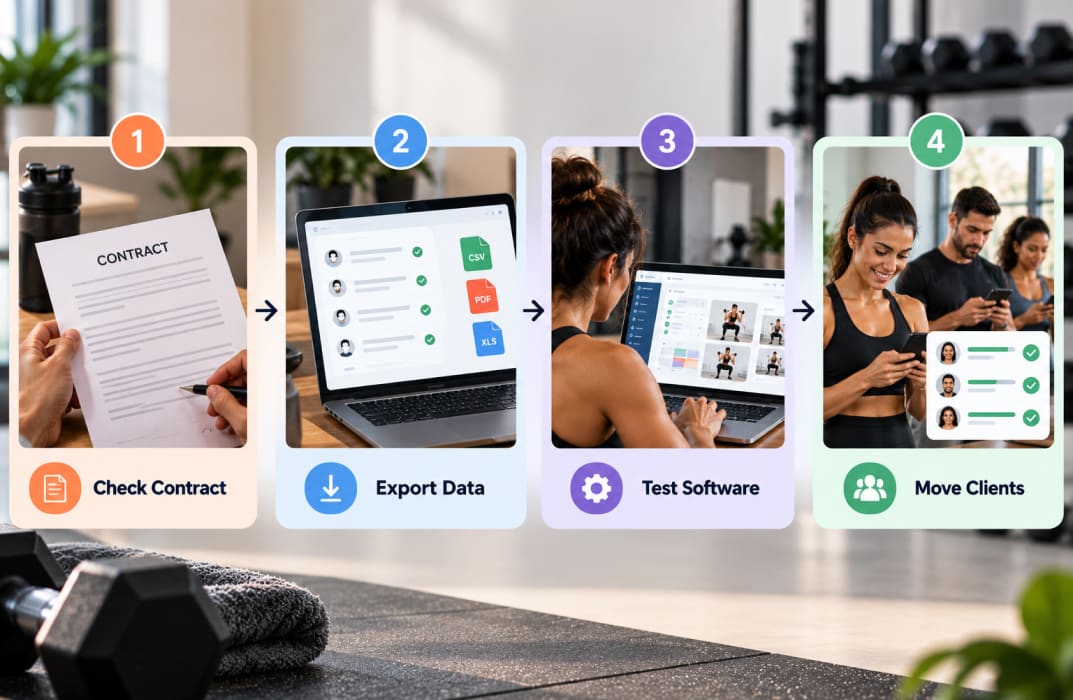
- Check your contract: Confirm cancellation terms, renewal dates, and outstanding payments before switching.
- Export your data: Save client details, workout plans, progress records, memberships, and payment history. Check what Virtuagym allows you to export.
- Test the new platform: Set up a few clients and verify workouts, bookings, and payments before migrating everyone.
- Move clients gradually: Share login instructions, transfer active services, and confirm everything works before closing Virtuagym.
Final Verdict: Which Virtuagym Alternative Is Worth Switching To?
Virtuagym is worth keeping if you actively use its coaching, membership, scheduling, and billing tools together. But if you're paying for features you rarely touch, switching could simplify your operations and reduce unnecessary costs.
Before making a decision:
- Identify your biggest problem: Is it workout delivery, client management, bookings, or software costs?
- Shortlist two alternatives: Choose platforms that directly address that problem.
- Compare the full cost: Include client limits, add-ons, payment fees, and contract terms.
- Test before switching: Run your everyday coaching or gym workflows during a trial or demo.
The best alternative isn't the one with the most features. It's the one that solves your biggest problem without creating new ones.
Ready to Build Your Own Coaching Brand?
If you're a personal trainer looking to grow your online coaching business, try FitBudd free for 30 days.
Set up your coaching experience, add a few clients, assign their workouts, and test how easily you can manage their progress.
Start your free trial and see whether FitBudd fits the way you coach before committing to a paid plan. No credit card required.