

Why Is My PayPal Payment Pending? (+ How Long Transfers Actually Take)

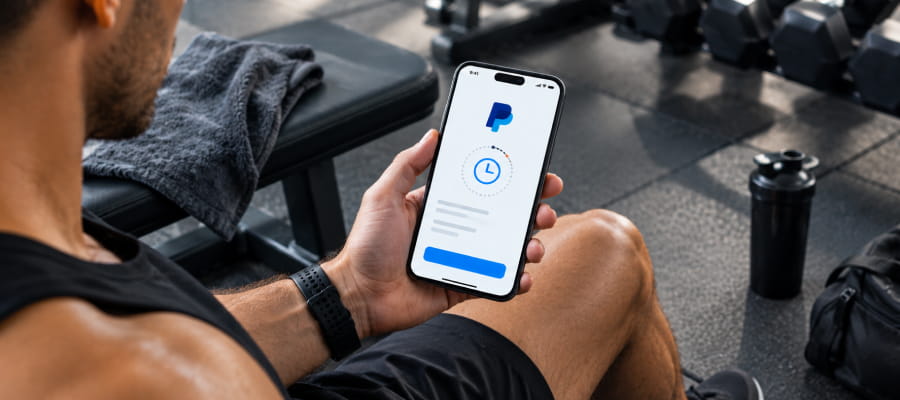
Why is my PayPal payment pending? See the real reasons PayPal holds a payment, how long it takes to clear, and what you can do about it.

Published

October 6, 2026

Last update:

October 6, 2026

10 min read
 Pending Payment  of paypal
Table of Contents

Build your app in minutes.

30 days free · No credit card required

Key Takeaways

A PayPal payment pending status almost always comes down to one of two things: the recipient's account needs verification, or PayPal converted the payment to an eCheck for a risk or funding check. Most pending payments clear within a few days, though an eCheck can take up to a week. We support PayPal as a payment gateway, with zero commission on what comes through it, but the hold itself is PayPal's own policy, not ours.

Why a Pending Payment Is Worth Understanding

PayPal isn't a niche payment option for your clients. Roughly 87.5% of online shoppers have used PayPal at some point, and the platform counts 439 million active users worldwide. That means a pending status on a client payment isn't an edge case you'll rarely see. It's something you're likely to run into regularly if PayPal is one of your payment options.

‍

The good news is that pending doesn't mean failed. It means PayPal is running a check before releasing the money, and in almost every case, that check resolves on its own within a predictable window.

Why PayPal Payments Go Pending

A payment goes pending for one of two main reasons, according to PayPal's own help center.

Cause What's Happening
Recipient account isn't verified The payment went to an email or phone number not yet linked to a confirmed PayPal account, so it waits until the recipient sets one up or verifies it.
Payment converted to an eCheck PayPal flagged the transaction as unusual compared to past account activity, or needed to confirm the sender's bank balance before releasing funds.

Both situations exist for the same reason. PayPal's pending status is designed to protect both sides of a transaction from fraud and confirm that funds genuinely exist before money moves.

eCheck Payments Take Longer to Clear

If your payment was converted to an eCheck, the wait is longer than a standard transfer. PayPal's own support documentation states that eChecks typically take 4 to 7 business days to clear, and weekends and holidays don't count toward that window.

This distinction matters because a standard PayPal payment usually settles quickly once both accounts are verified, while an eCheck follows the same timeline as a traditional bank transfer. If you're waiting on a client payment and it shows as pending, checking whether it converted to an eCheck tells you immediately whether you're looking at a same-day resolution or a week-long one.

What You Can Do About a Pending Payment

A pending payment isn't stuck forever, and there are two real options while you wait.

  1. Check the Activity tab in your PayPal account to see the expected clearing date for that specific transaction.
  2. Cancel the payment directly from Activity if it's still pending and you no longer want it to go through.

If a payment goes completely unclaimed, meaning the recipient never confirms their account at all, PayPal automatically refunds it back to the sender after 30 days.

For a recurring client payment, this is worth flagging the first time it happens so it doesn't catch you off guard every renewal cycle. Once a client's account is fully verified, later payments from that same person typically clear without going pending again, since the flag that triggered the hold the first time no longer applies.

How We Set Up PayPal

Connecting PayPal takes a bit more setup than connecting Stripe, since it runs through a PayPal developer app rather than a one-click authorization.

  1. Confirm you have a PayPal business account, since this integration requires one.
  2. Create a developer app in PayPal's Live mode and generate your Client ID and Secret.
  3. Configure a webhook using the URL provided in your dashboard, so PayPal can send payment events through.
  4. Share your PayPal account, Client ID, Secret, and Webhook ID with support so the connection can be finished on our end.

The full steps are in our PayPal setup guide. Once it's connected, we take zero commission on anything that comes through it, across more than 200 countries.

If you're deciding between PayPal and Stripe rather than running both, it helps to see the actual numbers side by side rather than guessing which one costs less for your specific client base.

Ready to get paid without a middleman markup?

We support PayPal and Stripe on every plan, with zero commission either way. Start Your 30-Day Free Trial → No credit card required.

If you're still deciding between the two gateways, it's worth reading how Stripe and PayPal fees actually compare before you commit to one over the other.

Frequently Asked Questions
Why is my PayPal payment showing as pending instead of completed?
How long does a PayPal transfer actually take?
Can I cancel a pending PayPal payment?
Does FitBudd take a cut of PayPal payments?

Written by

Tasdeek Raza is a Software Engineer at FitBudd and a key contributor to fitness-focused product development. He began his fitness journey in 2021, starting below 50 kg and, through consistent training and discipline, reached around 70 kg. Fitness is now a daily habit for him, driven by a strong passion for self-improvement and continuous physical growth.

Tasdeek Raza

Software Engineer at FitBudd, Fitness Enthusiast

Reviewed by

Amy Hollings is the CEO of BossFitAmy and a bold voice at the intersection of fitness and business. She’s building a calorie-tracking ecosystem designed to drive real results and scalable income for coaches. Using FitBudd, Amy delivers structured programs, tracks client progress, and runs a high-performance coaching business with precision and impact.

Amy Hollings

Calorie & Macro Coaching Expert

92% trainers worldwide gave us 5 stars

Talk to your dedicated success manager and launch your branded fitness app during the demo in minutes.

Start your paid subscription for $79 FREE

No credit card required  •  Cancel Anytime
By submitting this form, you agree to be contacted by FitBudd via call, email, and SMS. Msg & data rates may apply. Reply STOP to opt out. See Terms of Use and Privacy Policy.
Thank you! Your details has been received.
Uh Oh! Something went wrong ...
FitBudd Insights

Choose A Category

FitBudd Insights

Latest Articles

Articles & insights by author.

Best Gym Management Software for Small Gyms & Studios

Best gym management software for small gyms in 2026, ranked by real cost, gym type fit, and CRM depth. Covers Mindbody, PushPress, FitBudd, and more.

Read more
June 23, 2026
Best Gym Member Engagement & Win-Back Apps

Struggling with gym member churn? Compare the best gym member engagement and win-back apps in 2026 automation, push notifications, check-ins, and CRM tools.

Read more
June 26, 2026
Best Membership Management Software for Gyms & Studios

Compare the best membership management software for gyms and studios in 2026. Verified pricing, honest reviews, and a clear guide to recurring billing and tiered coaching plans.

Read more
June 19, 2026
How to Migrate Your Coaching Clients from Spreadsheets to a Fitness App

Learn how to migrate clients from spreadsheets to a coaching app in easy steps without data loss, client confusion, or costly downtime.

Read more
June 18, 2026