

Fitness club managers spend an average of 15 hours per week on administrative tasks that software should be handling automatically. Scheduling conflicts, manual payment chasing, disconnected booking tools, and POS systems that don't talk to the membership database, these are not technology problems. They are platform choice problems.
The market for gym management software is crowded. With so many gym management platforms on the market, it can be challenging to know which one best fits your studio's size, workflow, and budget. Some excel at scheduling, others at memberships or marketing, and many vary in ease of use and integrations.
This guide cuts through the noise. It reviews what YMCA program scheduling software actually delivers, where gym POS systems fall short, how to set up an online booking system for your fitness club without stitching together five tools, and why the payments layer is the part of the decision most gym owners get wrong.
Read More: Best 24 Hour Gym Management Software
What Is Gym Scheduling Software and What Should It Actually Do?
Gym scheduling software is a platform that manages class timetables, member bookings, staff assignments, attendance tracking, and client communication from a single system. At a minimum, it should handle these five functions without requiring you to maintain separate tools for each.
In practice, the category divides into three types of platforms:
The first type is scheduling-first software: built to manage calendars, rosters, and waitlists. These tools excel at operational admin but typically require a separate payment processor, a separate CRM, and often a separate POS terminal for in-person transactions.
The second type is gym management platforms: broader systems that add billing, member management, and basic marketing to the scheduling layer. Pushpress, ZenPlanner, and Mindbody fall here. They cover more ground but typically charge transaction fees, require integrations for full functionality, and were built for specific gym types.
The third type is coaching-first platforms: designed for fitness professionals who want to manage their entire client relationship, not just the scheduling and billing. These platforms include direct payment processing, branded mobile apps, habit tracking, and video coaching at no additional cost. FitBudd fits here.
The distinction matters because what you buy determines what you can build. A scheduling-first tool will always be a scheduling tool. A coaching platform grows with your business.
Related: Best Gym Booking Software for Small Business
YMCA Program Scheduling Software Reviews: What the Research Shows
Searching for YMCA program scheduling software reviews surfaces a consistent pattern. The most-cited platforms - Daxko, Traction Rec, ACTIVENet, Amilia, and Jumbula perform well for registration management and community program administration. They handle the operational complexity of multi-department facilities with dozens of simultaneous programs.
Where many of them fall short: no native support for YMCA workout programming or personal training delivery, clunky, dated UI that staff struggle to use across departments, and no branded mobile app for members to manage classes, check-ins, or workouts.
A calendar is at the heart of keeping any fitness facility organized and the community active - it brings all programs, classes, and events together in one easy-to-use platform that helps both members and staff stay on top of things. The problem is that most YMCA-specific platforms solve this for administrators, not for members or trainers.
What consistently gets missed in YMCA program scheduling software reviews is the trainer-delivery layer. A YMCA fitness coordinator running personal training sessions, small-group programs, or online coaching needs the same tools an independent trainer does: direct client payments, workout delivery, check-ins between sessions, and a branded app their clients open daily. Generic facility management software was not designed for this.
That is where FitBudd fills the gap used by fitness professionals who operate within larger facilities or run their own training businesses alongside them.
Related: How Gyms Make Money and Where Software Fits
Gym POS Systems and Software: The Feature Everyone Underestimates
When gym owners evaluate scheduling software, the POS question often comes last. It should come first.
A gym POS system is the mechanism through which your business gets paid for memberships, class packs, one-time sessions, merchandise, and supplements. If the POS is clunky, charges transaction fees, or doesn't connect seamlessly to your membership database, you lose money and time on every single sale.
Here is what a complete gym POS system should handle in 2026:
- Recurring billing: Automatic monthly membership charges with no manual intervention. Failed payments should trigger automated retry logic, not a staff phone call.
- One-time and session-based payments: Drop-in classes, personal training sessions, and package purchases processed instantly.
- In-person and online payment collection: Members should be able to pay via your app, website, or at the front desk without having to switch systems.
- Transaction fee transparency: Some platforms charge a percentage on every transaction. At scale, this is a high and often underestimated cost.
- Zero-commission processing: The best platforms connect directly to Stripe or PayPal and pass 100% of payments to the gym.
- No separate POS hardware required: the platform's built-in Stripe integration handles payments in the app. No tablet, no card terminal, no monthly hardware lease.
FitBudd's direct payments feature handles all six. Built-in Stripe and PayPal integration means payments are processed natively, 0% commission goes to the platform, and transactions work in 200+ countries without any external POS setup.
See how it works: FitBudd Direct Client Payments
How Do I Set Up an Online Booking System for My Fitness Club?
Setting up an online booking system for a fitness club involves five steps. The mistake most owners make is approaching each step as a separate tool purchase.
Step 1: Choose a platform that combines scheduling, payments, and client management: If your booking system does not handle payments natively, you will spend the next two years maintaining an integration between your booking tool and your payment processor. That integration will break. Choose a platform where booking and billing are in the same system.
Step 2: Set up your class and service catalog: Define every class type, session format, drop-in option, and membership package. Good gym scheduling software allows you to create unlimited class types with individual pricing, capacity limits, waitlists, and booking windows. Set these up once the platform automatically manages availability.
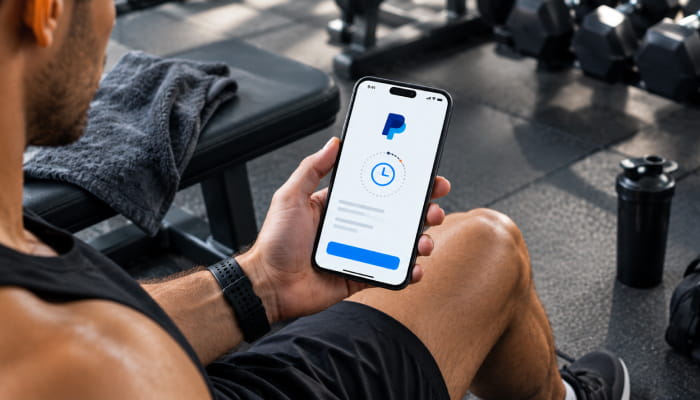
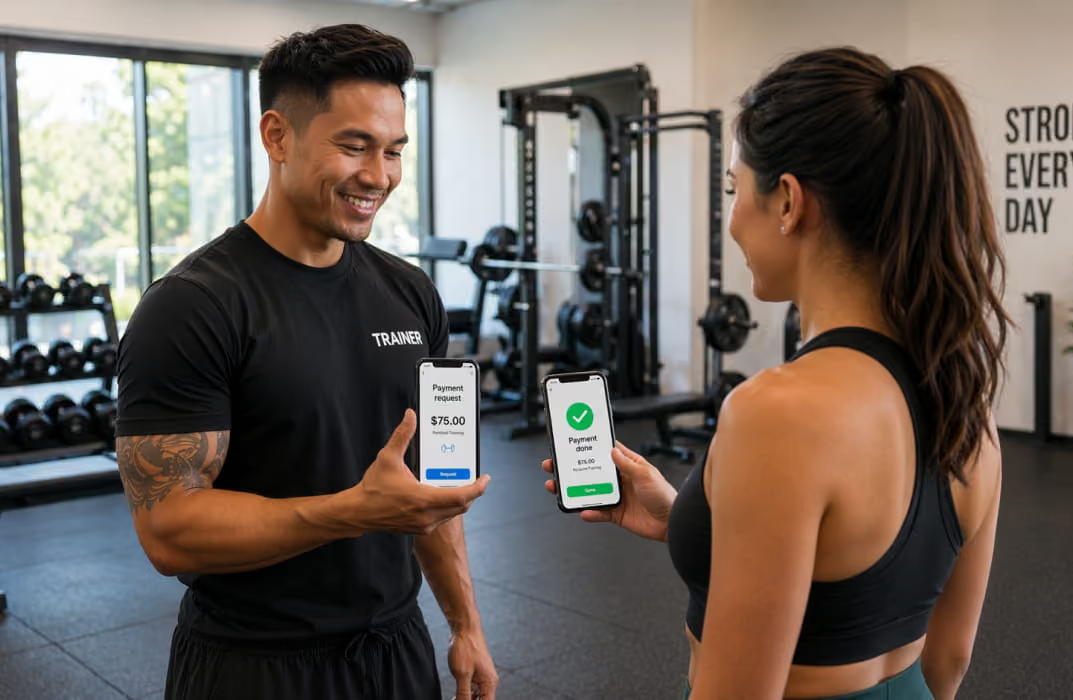
Step 3: Connect your payment processor: With FitBudd, this means connecting your Stripe account directly. No separate POS required. Members pay through the app, through your booking page, or at the point of sale using a phone, all processed via the same Stripe connection at 0% commission to the platform.
Step 4: Set up your client-facing booking experience: Members should be able to browse, book, pay, and receive confirmation in under two minutes. Mobile-first matters because the majority of class bookings happen on phones, not desktops. A branded app (your studio name, your logo, listed in the App Store) performs significantly better than a generic portal link.
Step 5: Automate the communication layer: Booking confirmations, reminder notifications, waitlist alerts, and missed-class follow-ups should all run automatically. This is where a fitness management system earns its cost. Staff should not send individual reminders for a class with 30 attendees.
The full setup on FitBudd takes less than a day. The branded app goes live within days of the one-time $75 setup fee. After that, $149 per month covers the complete platform, no per-member fees, no hidden add-ons.
Pushpress Review: What It Does Well and Where It Falls Short
Pushpress is one of the most recognized names in gym management software. Founded by gym owners, Pushpress has grown to support thousands of gyms worldwide, combining deep domain knowledge with modern, scalable SaaS architecture.
Its Core product delivers membership billing, class scheduling, coach commissions, digital waivers, lead tracking, and revenue reporting all in one centralized system.
For CrossFit boxes and functional fitness gyms, Pushpress is a strong fit. The platform was built by CrossFit gym owners for CrossFit gym owners, and it shows.
For fitness clubs, YMCAs, independent personal trainers, and multi-disciplinary studios, the picture is more complicated.
What Pushpress does well:
- Automated recurring billing and membership management
- Class scheduling with waitlists and check-in
- A POS module for in-gym product sales (apparel, supplements, memberships)
- Workout tracking integration via the Train add-on
- Strong customer support with fast response times
Where Pushpress falls short for non-CrossFit fitness businesses:
Pushpress's reporting seems tailored to strength-and-conditioning gym metrics, such as WOD participation and benchmark comparisons. Other metrics, such as cost of acquisition, lifetime value by program type, or granular attendance by class progression, require you to export the data or build ad hoc reports.
You start to run into problems when you face non-traditional circumstances or change the way you do business. For fitness clubs running yoga, pilates, personal training, small group coaching, and nutrition programming simultaneously, Pushpress's CrossFit-native architecture creates friction at every turn.
The POS module requires the Pushpress tablet app. In-person sales work, but the setup assumes a gym with a front desk and a fixed location. Independent trainers, hybrid coaching businesses, and studios that collect payments primarily through a client app will find this model limiting.
Payment processing through Pushpress runs via Stripe, but Pushpress adds its own flex fee layer on top of Stripe's base rate. The platform markets this as giving gym owners "control over transaction fees," but in practice, it means members pay more, or the gym absorbs the difference.
Here is a direct comparison:
Related Reading: Best Pushpress Alternative
The Best CRM for Gyms: What Actually Drives Retention
Most gym CRM comparisons focus on features such as contact records, lead pipelines, automated emails, and attendance tracking. These are table stakes. The real question is whether the CRM is connected to the rest of your platform in a way that actually changes member behavior.
A gym CRM that logs member data but does not trigger meaningful action is a database, not a growth tool. The best CRM for gyms does three things that separate retention from churn:
First, it surfaces at-risk members before they cancel: Attendance is dropping off, check-ins are decreasing, and session packs are going unused; these signals appear weeks before a member stops renewing. A CRM that tracks them and triggers an automated re-engagement sequence recovers revenue you would otherwise lose silently.
Industry research confirms the pattern. According to the IHRSA Health Club Consumer Report, member usage and retention are directly correlated, and the members at highest risk of quitting are those who attended recently but have now gone more than a week without a visit. IHRSA data also shows that every two staff interactions with a member in a month produce an extra visit the following month, which is exactly the kind of outreach a connected CRM should trigger automatically. Health & FitnessHealth & Fitness
Second, it connects to the communication layer: The gym CRM should send the message, not just log that a message should be sent. Push notifications, in-app messages, and email campaigns should all originate from the same member record to coordinate communication rather than duplicate it across three tools.
Third, it is accessible on mobile: Gym owners and coaches do not sit at desks. A CRM that requires a laptop is a CRM that gets used once a week instead of once an hour. FitBudd's client management tools are built mobile-first; every coach interaction, check-in, and payment is logged and accessible from the app.
Fitness Studio Management Software: The Features That Actually Matter at Scale
When a fitness studio grows past 100 active clients, operational demands change faster than most platforms can keep up.
With 20 clients, scheduling software is enough. At 100 clients, you need automated billing, a CRM that identifies retention risk, and a communication layer that does not require a staff member to execute it. With 200+ clients, you need a branded infrastructure, your own app, your own payment pipeline, and coaching tools that keep clients engaged between sessions.
The features that separate functional gym software systems from genuinely scalable fitness management systems:
Automated billing with zero manual intervention: Recurring charges, failed payment retries, upgrade and downgrade logic are all handled without a staff task. FitBudd's Stripe integration processes recurring payments automatically across all membership types.
A branded mobile app your clients open daily: Not a portal, a real iOS and Android app in the App Store with your studio's name and logo. Members who have your app on their home screen have a fundamentally different relationship with your business than members who receive a link in an email.
Between-session engagement tools: Habit tracking, wellness check-ins, and progress logging between sessions are what separate 90-day members from 3-year members. Gym scheduling software that engages clients only when they book a class is leaving retention on the table.
Video coaching delivery. Follow-along workout videos, technique feedback, and on-demand content delivered directly through your platform extend your coaching presence beyond the gym floor and create a defensible product that scheduling-only competitors cannot replicate.
A flat pricing model. Per-member fees and transaction commissions create a ceiling on profitability. The more you grow, the higher the platform's cost as a percentage of revenue. Flat-rate pricing for FitBudd at $149/month for Super Pro, regardless of client count, removes that ceiling entirely.
Gym Scheduling Software Comparison: How the Leading Options Stack Up
The most important column in that table is the payment commission column. At $150 per month per member and 100 active clients, a 2% transaction fee costs $3,600 per year. That is the cost of the platform itself paid twice.
How FitBudd Handles Gym POS Without a Separate System
FitBudd's approach to gym POS is the clearest differentiator in its category: there is no separate POS system because one isn't needed.
When a trainer or studio connects their Stripe account to FitBudd, every payment for recurring memberships, session packs, one-time purchases, and event registrations flows through that Stripe connection at Stripe's standard rate. FitBudd takes 0% of each transaction. The platform does not add a flex fee, does not charge a commission, and does not require a separate payment integration.
For in-person payments, clients pay through the FitBudd app. For online bookings, clients pay through the booking flow on your branded app or website. For session packages, payment happens at purchase. No card terminal. No tablet. No monthly hardware cost.
This model changes the economics of running a training business. A trainer with 30 clients paying $200 per month saves approximately $1,440 per year compared to a platform charging 2% on transactions simply by choosing a payment structure that does not take a cut.
How to Choose the Right Gym Management App for Your Business Stage
The right gym management app depends on where your business is at and your single biggest operational pain point right now.
If you are a solo trainer with under 20 clients, your priority is getting organized and collecting payments reliably. FitBudd's Pro plan at $79 per month includes class scheduling, Stripe payments, client management, habit tracking, and a website builder. You do not need a POS terminal or an enterprise CRM. You need one platform that handles everything.
If you are a studio with 20–100 clients: Admin overhead is your ceiling. You need automated billing, a mobile-first client booking experience, and communication tools that require no manual intervention. The absence of a branded app becomes noticeable at this stage. Clients who book through a generic link churn at higher rates than those who use your app.
If you are a fitness club or YMCA facility with 100+ members, you need a fitness management system with genuine scale flat pricing, zero-commission payments, a branded app, multi-program scheduling, and coaching tools that work across staff members. Platforms that charge per member or per transaction become a profitability problem at this size.